
This post is one of many I’ve made about my personal colocation setup. You might be interested in previous versions of this setup posted back in 2023 and 2024.
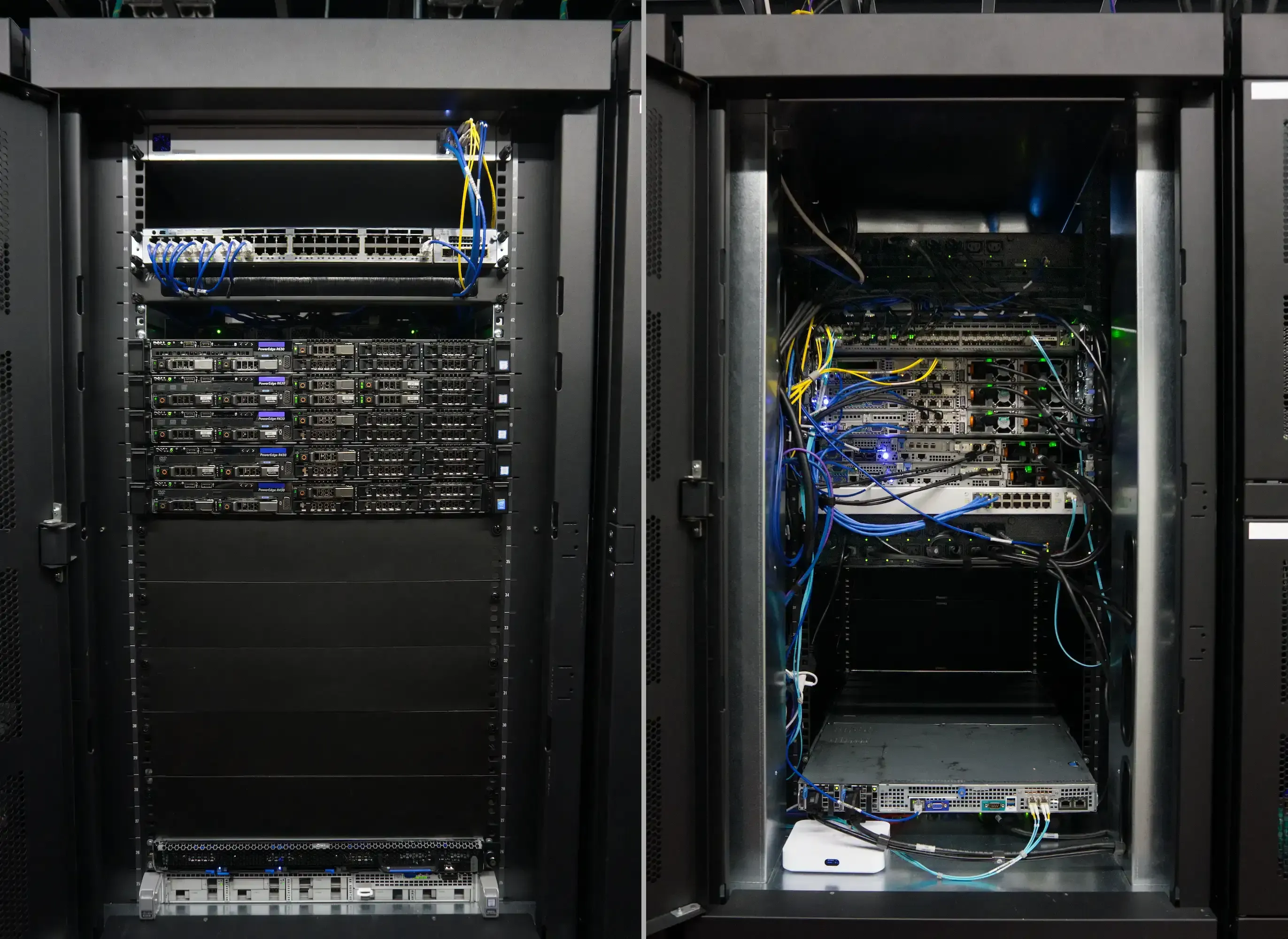
All my gear up and running in the new datacenter. The new racks are way more spacious (my Quanta server doesn’t stick out anymore) and there’s plenty of room for routing cabling. I threw a few spare blanking panels on that front for the aesthetic — it’s not a requirement by the DC and airflow/temp isn’t a real concern just yet.
This year my colocation setup grew up from being more of a summer home-lab into infrastructure with real expectations around availability. After leaving my ISP job where one of the perks was a nicely discounted colo rate (I still negotiated a good price), I’ve become much more deliberate about what takes up rack space. At the same time, I’ve been using more of this setup for client-hosted services through my consulting business.
Aside from moving datacenters (under the same provider), most of my changes this year revolved around my shift in priorities: more compute, cleaner network separation, adding robust shared storage via Ceph, and migrating to a more stable S3 storage stack.
As of December 2025, the rack now includes:
- Ubiquiti EFG router/firewall
- Arista 10Gb core switch
- Ubiquiti 1GbE core switch
- Cisco management switch
- 5-node Proxmox/Ceph cluster
- Quanta TrueNAS/Garage storage host
- Communal Proxmox box behind its own Ubiquiti router
Moving datacenters#
For some time now, the company behind my colocation has been working on a new datacenter in the same city after they made plans to sell the old location.
In December 2024, they finished all their final certifications and were ready to start moving customers over. This was my first time migrating any sort of live setup between physical locations outside of a cloud environment so I wanted to make sure I did things right. I also had some new servers to install that’d push me past my 10U rack allocation so I was keen on moving ASAP. For better or for worse, I was the first customer in the new DC.
I had originally planned for 5 hours of downtime while I moved things between datacenters and ensured everything was operational. This included offloading a handful of client-facing services to a VPS setup that I’d arranged beforehand. I pre-planned my new rack setup in my Netbox instance so I knew how things would look before anything got re-installed. All my cables were also labelled before the move to make things plug-and-play.
The biggest time sink of the migration was physically moving gear to and from my car. Even with a loading bay, I was the only person handling trips which ate about an hour of my time between the two locations. The drive was only 10 minutes. Racking and stacking everything took about 45 minutes. The cabinets at the new DC were much more spacious and made cable management super easy.
The second worst time sink was getting my WAN setup working. I made sure I wouldn’t have any issues keeping my same IPv4 /29 block between locations but the issue we ran into was a small network configuration that was missing at the new DC. After sorting that out, I was passing traffic just fine.
Once I confirmed my WAN was good, I double checked my LAN was up and healthy before I started bringing services back online. This took maybe 15 minutes.
With everything said and done, it took just under 3 hours to bring everything down and back up between locations. This all started around 10PM on a Saturday and I came back later in the next day (Sunday) to clean up my cable management.
Rack expansion#
Extra servers#
I sourced two Dell Poweredge R430 servers to add to my cluster of servers, keeping an odd number for any sort of cluster quorum. I went with R430 servers over more R630s just because I got a deal from a client working through a hardware refresh. The only difference between the two platforms that I care about is the number of installable DIMMs. I’m sure I can get by with 256GB in each host so this isn’t a problem.
2nd PDU#
All the additional gear means I’d be taking up seven more power outlets. To give myself some space, I added a second managed PDU that’s the same model as my first, an APC AP7911A. I talked about some of the pros and cons of these units before with the main hangup being the 2U of rack space they take up.
When I was originally planning my rack layout for my cabinet at the new DC, I looked into vertical PDU options again but struggled finding anything managed (network-based controls) that fit in the awkward half rack space I’m in now. Anything that did come close was priced close to the same amount for a full-size vertical PDU with less outlets. I decided I’d keep using my 2U PDUs since I got them for cheap and didn’t have any immediate plans that I needed the rack space for.
Swapping management switches#
I swapped out my old MikroTik CCR1009 switch with a Cisco Catalyst WS-C3750X-48PF-S. I’ve talked about my problems with the management experience of MikroTik’s RouterOS but that wasn’t really an issue on this basic switch setup; I just needed more ethernet ports for my management network and I wasn’t using the Cisco for anything. I won’t need half the ports nor the PoE that comes with them, but redundant power supplies are a nice upgrade that the MikroTik didn’t have.
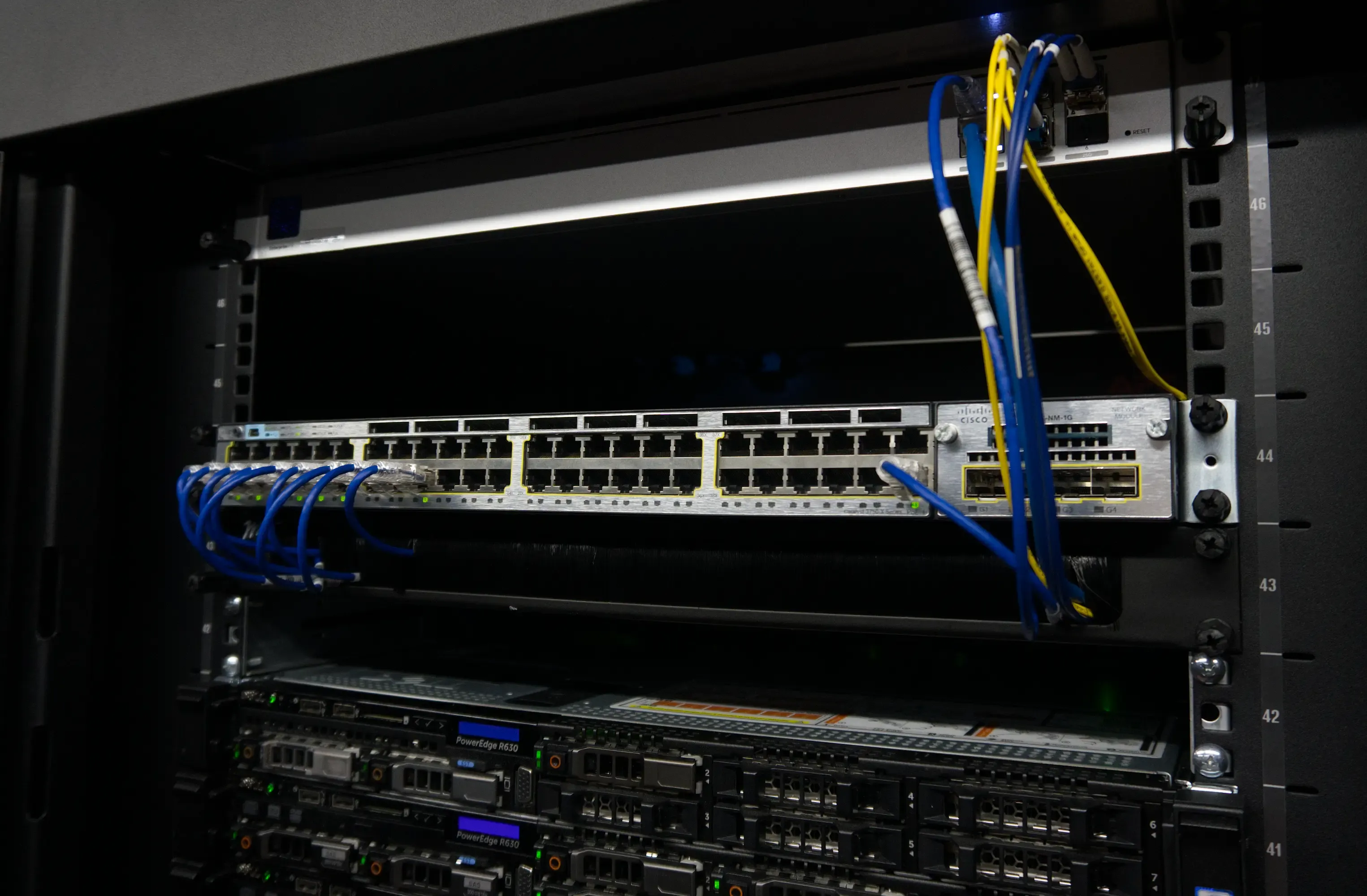
I almost feel like I need to get more gear just to fill these ports up…
Adding a core ethernet switch#
Previously, I had all my Proxmox management traffic going over 20Gb links (via dual 10Gb LAGs) to my core 10Gb Arista switch. This worked fine and fit within my availability model. One thing that changed this year though was me adding a Ceph cluster on my Proxmox nodes.
I wanted to reserve each node’s 20Gb “pipe” for Ceph and regular VM traffic by moving Proxmox management over to its own link. Up to this point, I only had free ethernet ports through my “management” switch which could’ve worked for this usecase. I didn’t like that approach for three reasons:
- It wouldn’t fit in well with how I envisioned a properly out-of-band management network. While it’s technically serving a management function, Proxmox traffic in this setup includes tasks like VM provisioning and VM backups which is closer to my data plane.
- Proxmox management traffic can get pretty busy. It includes backup operations and moving VM data, i.e. VMs themselves, between individual Proxmox hosts. I’d hate to regularly saturate the upstream 1Gb link on my management switch with this traffic. Prioritizing Proxmox VLAN traffic via the management switch itself could work but based on the rest of my reasoning, it doesn’t seem like a smart choice.
- In the future, it’s likely I’ll want more ethernet switch ports outside of management network anyway so I might as well bite the bullet now and add a proper ethernet switch for my data plane.
As is tradition, I installed a spare switch I had on hand: a Ubiquiti USW-16-POE. It has a simple job that it does just fine. There’s no nice way to handle configuration automation but since I rarely need to touch this switch, I’m fine with that for now. If/when I do get around to swapping this out, it’ll likely be when I revamp the switch core with some sort of MLAG setup for core redundancy.
After a few months of running this, I’m glad I moved my Proxmox traffic off the 20Gb links since it saved my butt once from a Ceph-related network misconfiguration. The only real downside has been that I do regularly hit the 1Gb port speed bottlenecks, but that’s mostly during set backup job times that last less than a few minutes.
Since I’ve got so many unused SFP+ ports on my Arista, it’s probably worth pointing out that I could have gone with 1000BASE-T transceivers (1Gb or 10Gb RJ-45 interface in an SFP+ form factor) but their cost adds up at ~$35 per 1Gb module, they’re power hungry, and they got pretty hot. If I was super tight on cabinet space, this route could’ve made sense.
Quadro cards#
Another change I made was adding a few Nvidia Quadro P600 cards across my Dell servers. I don’t have a lot of workloads that can take advantage of these but when something does come up, it’s a pain to brute force those jobs with my older Xeon CPUs. My only implementation note about these is that Docker Swarm doesn’t play nice with hardware passthrough (by not supporting it at all).
Ceph cluster MVP#
To address my lack of fully POSIX compliant shared storage for my Docker Swarm deployment, I bit the bullet and set up a Ceph cluster. This was my first time using Ceph in any capacity so this started as a small test with a modest cluster to test the waters.
For the actual storage, I researched budget Enterprise SSDs that were rated for high endurance. I ended up grabbing five refurbished (99% health) Samsung PM863a 960GB drives for $37 USD each, $185 total including taxes, ~$26 per raw TB.
Configuration#
Since I run Proxmox as the base OS on each of my servers, getting this up and running was straightforward once I sorted out my networking config since Proxmox supports Ceph clustering natively.
- The first thing I did was set up the Ceph cluster and Ceph public network definitions in my EFG router, Arista core switch, and then in Proxmox. To keep things fast, I configured my core switch to act as the gateway/router for my Ceph networks so that my EFG wouldn’t need to route Ceph traffic between the servers themselves.
- My next config item was to sort out the cluster layout: 2 managers, 2 MDS daemons, 1 monitor per host (I could get away with only 3 across the cluster but they’re not too expensive), and 1 OSD per host.
- For capacity, I’ve got 3 replicas configured. This gives me ~1.6TB of usable space with tolerance for two host failures, more than enough for my initial planned use case.
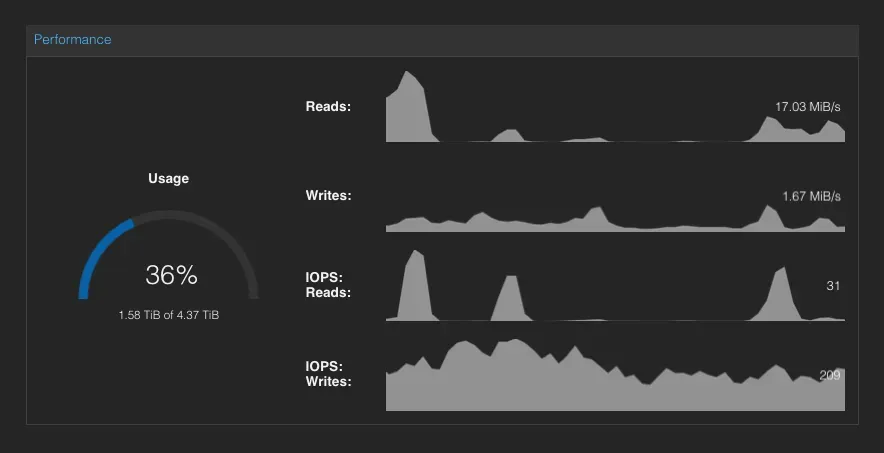
Simple stats overview of the Ceph cluster from within the Proxmox GUI.
Up and running#
I didn’t run into too many headaches with Ceph outside my initial networking config. Mounting CephFS shares on hosts, provisioning credentials, and using the built-in S3 API was really intuitive. It was certainly easier than the equivalent operations for NFS or SMB share setups on my TrueNAS server. It also addressed all my pain points for shared host storage in my Docker Swarm cluster.
The only issues I did run into were related to how Proxmox acts as the middleman for managing Ceph. The gist of this is that Proxmox doesn’t use the Ceph orchestrator but manages Ceph components itself. If this was your first time with Ceph, they don’t make it very obvious:
root@vmm1:~# ceph orch status
Error ENOENT: No orchestrator configured (try `ceph orch set backend`)
root@vmm1:~# ceph orch set backend
root@vmm1:~# ceph orch status
Error ENOENT: No orchestrator configured (try `ceph orch set backend`)
I found this out when I was setting up syslog for my Ceph cluster following Ceph’s own docs. In that case, I ended up shipping these logs directly from my Proxmox nodes instead which wasn’t a huge deal. Still, there are some features that don’t work in Ceph’s native dashboard. For the missing observability pieces, I wound up with centralized dashboards and alerting in Grafana (which I was going to do anyway).
For Swarm related duties, there haven’t been any real changes operationally compared to how I was storing shared container data with NFS for Swarm hosts. Since I never encountered any sort of data loss or corruption, I can’t say Ceph fixed all that — even if it is supposed to be more stable for type of use case.
Migrating away from MinIO#
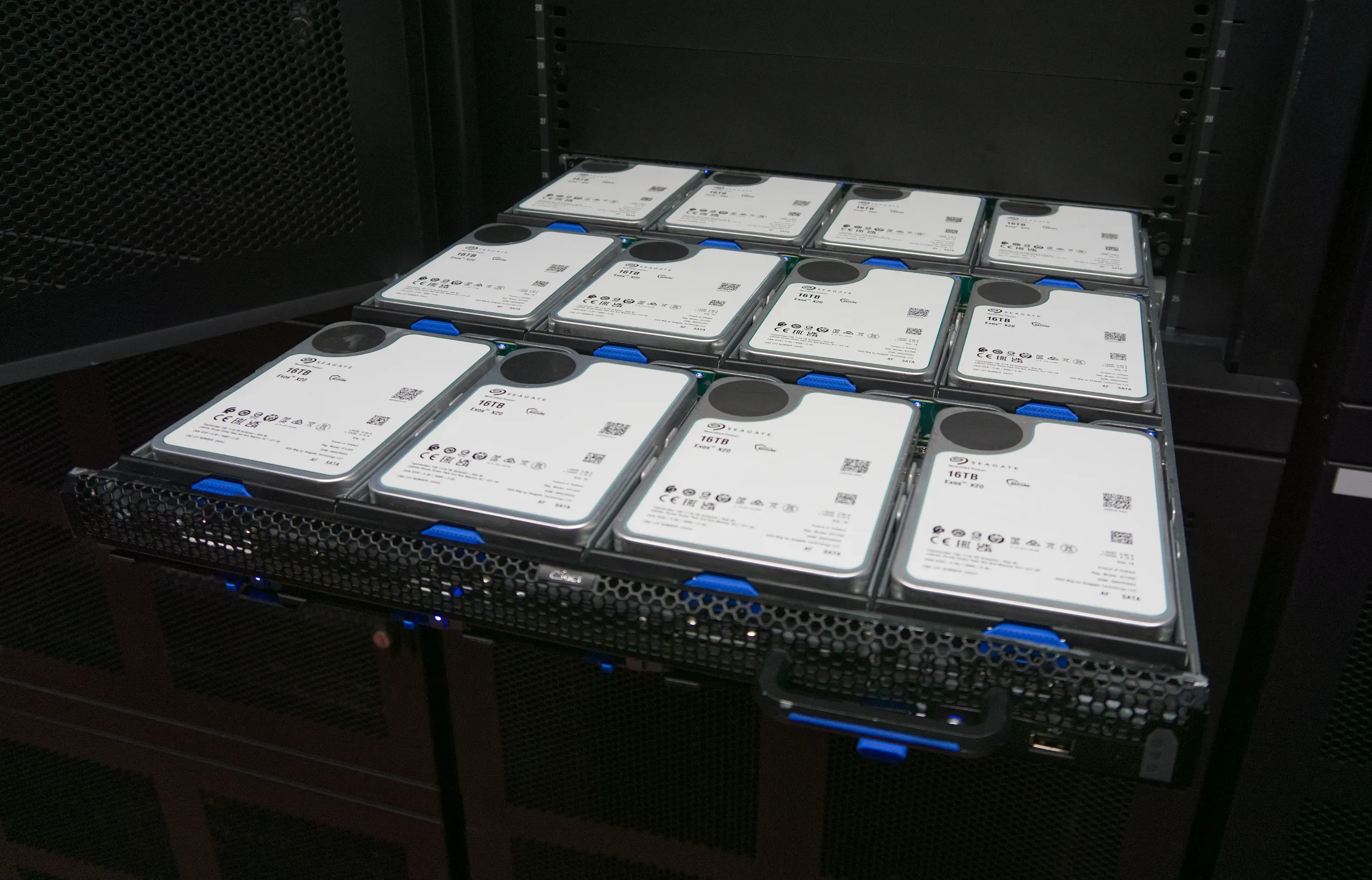
Hard drive money shot.
The only service/application I host on my Quanta NAS is an S3 object store. Up to this point, I’d been using MinIO in various deployments as my S3 store of choice. Unfortunately they’d slowly shifted their priorities away from their open source edition.
In May 2025, they stopped maintaining the web GUI which was fine since I only used the CLI. In October 2025 they stopped publishing their own Docker image which was fine because I could build my own. In December 2025, they put the public GitHub repo into maintenance mode. That wasn’t so fine…
Choosing an alternative#
Running a legacy version of MinIO wasn’t something I was interested in since my instance was public-facing. I checked on licensing but it was almost as much as Amazon’s S3 costs (and I’d still have to bring my own hardware!).
The obvious alternatives for me were:
- Garage: Easy to set up, community GUI, trustworthy company/community behind it.
- SeaweedFS: Slightly more confusing to set up compared to MinIO due to config customizability, 1st-party GUI, trustworthy company/community behind it.
- RustFS: Easy to set up, 1st-party GUI, kinda sketchy licensing, incomplete/missing doc pages.
- Ceph: Easy-ish to setup, well supported/documented, not great for my hardware setup (one big storage server).
My S3 use-case is pretty simple and I wasn’t using MinIO for more than basic store and retrieval operations. That meant I didn’t need to worry about any advanced compatibility when switching providers. Benchmarks also didn’t make a huge difference on me since performance matched or exceeded what I was already accustomed to with MinIO where I wasn’t hitting any bottlenecks.
Since Ceph wasn’t well suited for my single storage box setup and SeaweedFS seemed like it had a high barrier to entry, I narrowed things down to either Garage or RustFS. Ultimately, I chose Garage because the RustFS ecosystem didn’t seem stable enough for a long-term object store.
SSD pool for Garage metadata#
In my initial testing with Garage, I naively stuck with a single HDD pool for my data and quickly found out this was a dumb move. When I first read through Garage’s configuration docs which recommends storing the metadata directory (handling innocuous things like node identifiers, network config, index of all objects, etc.) on an SSD, I was spoiled by MinIO’s HDD-only performance and thought I’d be alright.
After copying a 2TB bucket with ~20 million files into Garage I saw extremely slow uploads compared to MinIO. If only someone could’ve warned me that metadata storage performance would be so important here.
To remediate this, I set up an SSD pool on my TrueNAS host with a pair of mirrored 1TB SSDs. I couldn’t find a straightforward way to reconfigure my Garage application within TrueNAS to nicely take advantage of the new pool so I nuked my Garage instance and started over from scratch.
With the same test bucket in place and SSD metadata storage configured, my slow uploads disappeared and I’ve been smooth sailing ever since. There’s no big pros or cons I’ve run into with Garage versus MinIO; my S3 setup is boring based on my run-of-the-mill workloads.
Extra communal gear#
Since I’m still good on spare rack space in my colo cabinet, I installed some spare hardware that my friend group could run shared services on. A friend donated a Ubiquiti Cloud Gateway Ultra and I put in a Cisco UCS M4 server (dual Xeon E5-2637v4 @3.5 GHz, 64GB DDR4 ECC, mirrored 500GB SSDs) running Proxmox. The router works especially nicely because it doesn’t take up any rack space at the back of my cabinet.
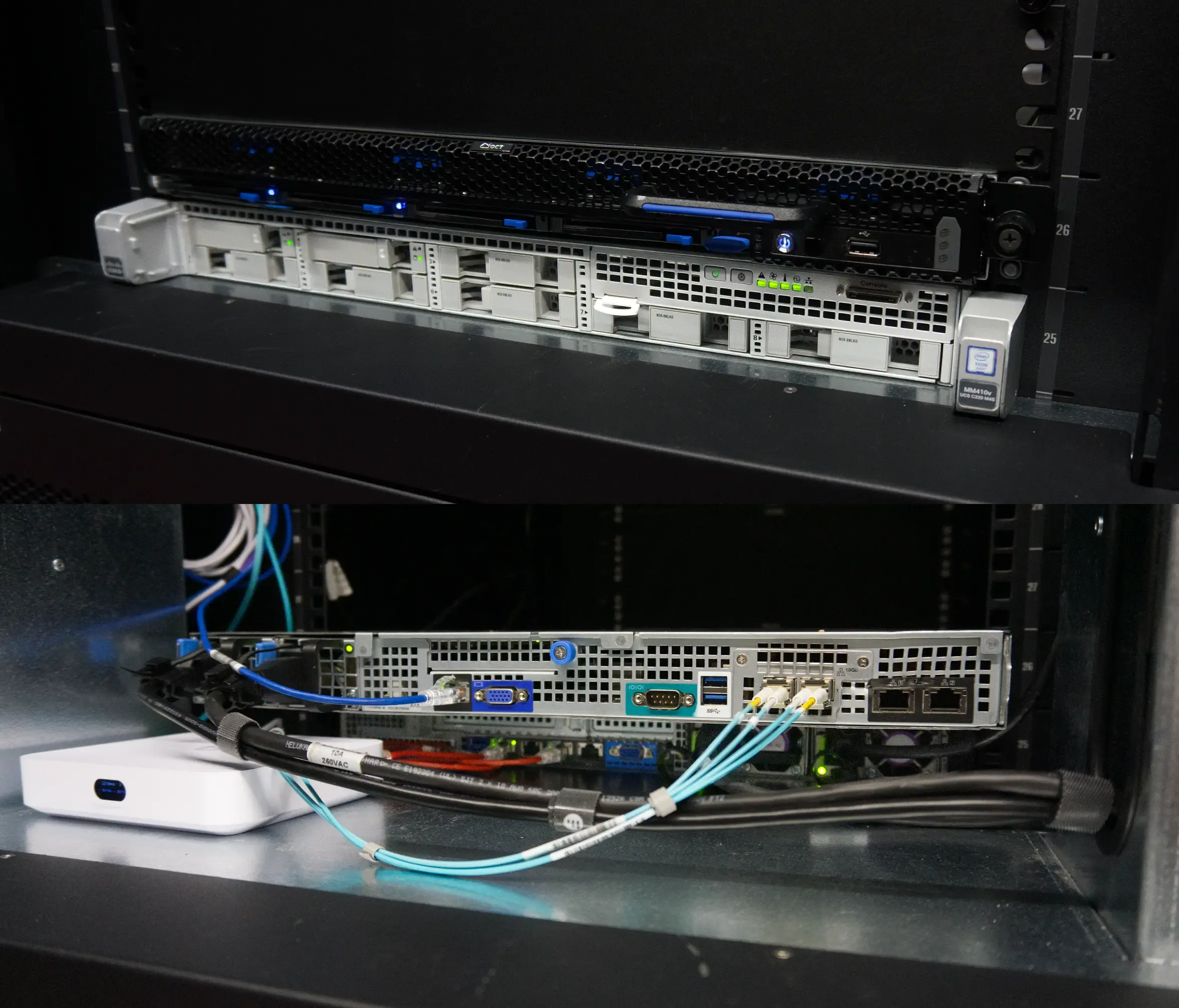
Front and back view of the new communal gear which sits under my Quanta NAS. The Ubiquiti router is small enough that it fits nicely behind the Cisco server without blocking airflow or taking up any “actual” rack space.
It’s a bit of a waste having a full on firewall/router for a single server but having VPN connections terminate upstream makes them easier to manage compared to a plain Linux host with everything or worse yet, a virtualized router within Proxmox (that’s just not fun at all).
This setup is mostly separate from the rest of my colo gear: it has its own /30 IPv4 block and 1Gb uplink. Management traffic is also self-contained behind the Ubiquiti router. Power is handled via my main colo’s managed PDUs (fancy power strips).
What’s next#
I’m really happy where my overall setup stands on compute and storage so I don’t see any huge additions in the near term. My main focus in the coming year is going to be around network resilience. With a single router and single 10Gb core switch handling production traffic, I’m leaving myself open to some not very fun failure modes. Having said that, I’m in an awkward spot since my lone Arista switch is built on the dead-end 40Gb standard so I’d like to avoid committing to a second unit for any sort of MLAG or stack configuration.
For my switch core, I plan to keep an eye on the secondhand market since the budget option that checks all my boxes is the MikroTik CRS518-16XS-2XQ-RM for 1,600 USD (which I’d need two of). I had some initial interest in the Dell S5148F-ON platform, ~$500/switch, but decided against it due to some hardware oddities and shoddy OS support. My next best bet might be early generation 25Gb Cisco Nexus switches for ~$650/switch but licensing might be a problem.
Regarding my full 7U of unused rack space, I don’t have anything on the horizon just yet. Once I’ve addressed my network concerns, I’ll probably have 5U left for storage and compute servers. Any servers I add that will participate in Swarm and/or Ceph should be added in pairs so that I maintain a quorum among hosts.
I’m most likely to need storage in my Ceph pool first which means I’ll need to either double down and get more SATA SSDs that my Dell servers support or make the jump to newer gear that supports NVMe drives. Since the AI boom is likely to continue juicing memory prices, I’ll probably stick with the former and do a full hardware refresh with a new NVMe Ceph cluster in a few years.